How to Build a desktop notification tool for Linux using python
· Dec 12, 2017 · 2 minutes read · Follow @santoshray02
How to Build a desktop notification tool for Linux using python
What is a desktop notification ?
desktop notification is lika a graphical control element that communicates certain events to the user without forcing them to react to this notification immediately . In other words, it is a simple application which produces a notification message in form of a pop-up message on desktop.
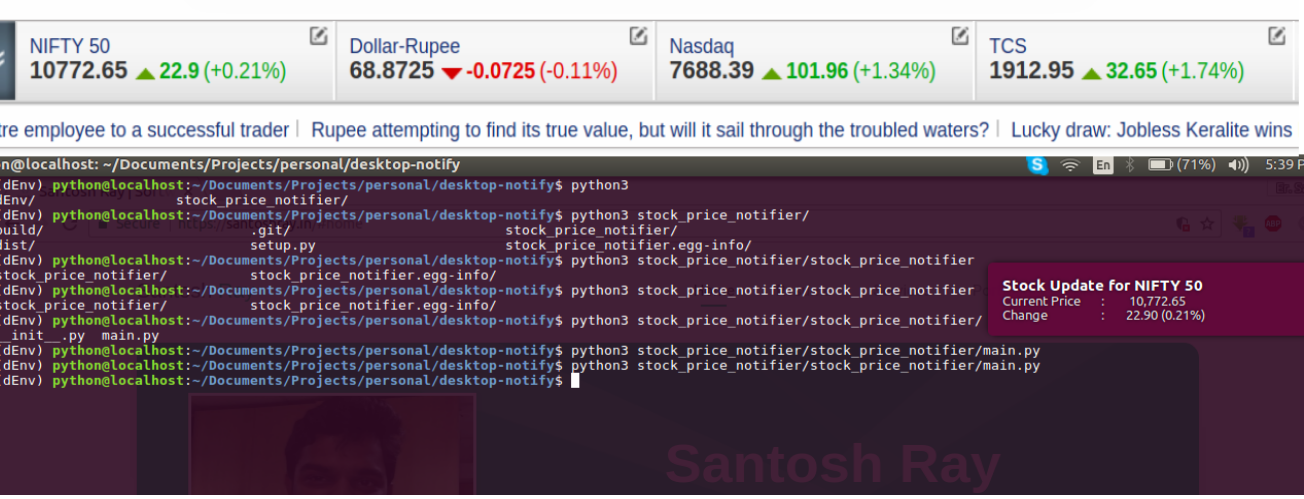
So lets start by creating a small tool “Stock price notifier”
In this example I have used python3 on ubuntu 16.04
Lets follow few steps :-
Install a third party Python module, requests and beautifulsoup using a simple pip command:
pip3 install beautifulsoup4pip3 install requestsWrite a small python funtion to get the current stock price :
from bs4 import BeautifulSoup
import requests


def get_stock_price():
    url = "https://www.moneycontrol.com/"
    headers = {'User-Agent': 'Mozilla/5.0'}
    bse_stock = requests.get(url, headers=headers)
    soup = BeautifulSoup(bse_stock.text, "html.parser")
    cp = soup.find('span', id='cp')
    chg = soup.find('span', id='chg')

    if cp:
        cp = cp.text
    else:
        cp = 0
    if chg:
        chg = chg.text
    else:
        chg = 0
    return (cp, chg)
Write onle more python function to send the event to os using subprocess:
    import subprocess as s
    def notify():
        result = get_stock_price()
        result = "Current Price\t:\t %s \nChange \t\t: \t%s " % result
        s.call(['notify-send', 'Stock Update for NIFTY 50', result])
And now finally call the second funtction:
notify()
Enjoy